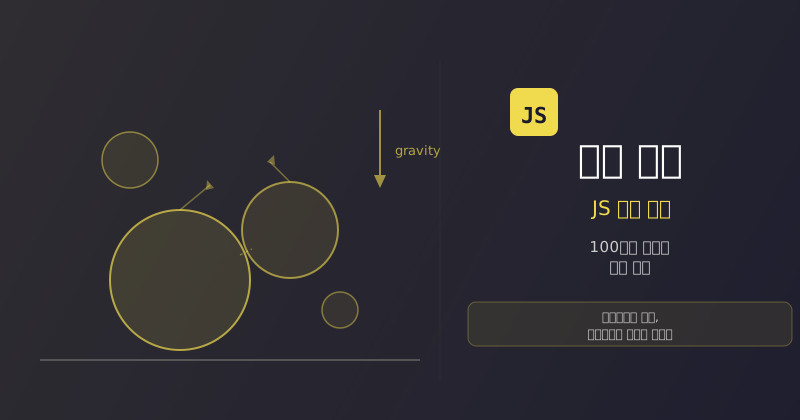
JavaScript 물리 엔진 만들기 — 100줄로 구현하는 2D 물리 시뮬레이션
벡터 연산, 원 충돌 감지, 충격량 기반 응답까지 순수 JavaScript로 2D 물리 엔진을 직접 만든다.
왜 물리 엔진을 직접 만드나?
게임이나 인터랙티브 시뮬레이션에 물리가 필요하면 보통 Matter.js나 Box2D 같은 라이브러리를 가져다 쓴다. 그런데 이런 라이브러리 내부에서 실제로 무슨 일이 일어나는지 이해하고 싶다면, 가장 좋은 방법은 직접 만들어보는 거다.
이 글에서 다루는 물리 엔진은 딱 4가지 구성 요소로 이루어져 있다.
| 구성 요소 | 역할 |
|---|---|
Vec 클래스 | 2D 벡터 연산 (덧셈, 뺄셈, 스칼라 곱, 내적, 정규화) |
Circle 클래스 | 원형 물체 (위치, 속도, 질량, 반지름) |
Line 클래스 | 선분 장애물 (벽, 바닥 등) |
| 충돌 처리 | 원-원, 원-선 충돌 감지 및 응답 |
비유하면 당구대를 코드로 옮기는 거다. 공이 굴러다니고, 서로 부딪히고, 벽에 튕기는 것 — 이 모든 걸 수학으로 기술할 수 있다.
Vec 클래스 — 모든 물리 계산의 기초
물리 엔진에서 위치, 속도, 힘은 전부 벡터다. 2D 벡터 클래스부터 만든다.
class Vec {
  constructor(x, y) {
    this.x = x
    this.y = y
  }

  add(v) {
    return new Vec(this.x + v.x, this.y + v.y)
  }

  sub(v) {
    return new Vec(this.x - v.x, this.y - v.y)
  }

  scale(s) {
    return new Vec(this.x * s, this.y * s)
  }

  dot(v) {
    return this.x * v.x + this.y * v.y
  }

  length() {
    return Math.sqrt(this.x * this.x + this.y * this.y)
  }

  normalize() {
    const len = this.length()
    if (len === 0) return new Vec(0, 0)
    return new Vec(this.x / len, this.y / len)
  }

  cross(v) {
    return this.x * v.y - this.y * v.x
  }
}
주목할 점은 모든 메서드가 새 Vec 객체를 반환한다는 거다. 원본을 변경하지 않는 불변(immutable) 패턴이다. 물리 계산에서 중간 벡터를 실수로 수정하면 디버깅이 지옥이 되므로, 이 패턴이 안전하다.
[💡 잠깐! 이 용어는?] 내적(Dot Product): 두 벡터를 곱해서 스칼라(숫자 하나)를 얻는 연산. 두 벡터가 같은 방향이면 양수, 반대 방향이면 음수, 직각이면 0이다. 충돌 응답에서 "힘을 얼마나 전달할지" 결정하는 데 핵심적으로 쓰인다.
Circle 클래스 — 물리 세계의 물체
원형 물체는 위치, 속도, 질량, 반지름을 가진다.
class Circle {
  constructor(x, y, radius, mass) {
    this.pos = new Vec(x, y)
    this.vel = new Vec(0, 0)
    this.radius = radius
    this.mass = mass
    this.restitution = 0.9
  }

  update(dt, gravity) {
    this.vel = this.vel.add(gravity.scale(dt))
    this.pos = this.pos.add(this.vel.scale(dt))
  }

  draw(ctx) {
    ctx.beginPath()
    ctx.arc(this.pos.x, this.pos.y, this.radius, 0, Math.PI * 2)
    ctx.fillStyle = '#4a90d9'
    ctx.fill()
    ctx.strokeStyle = '#2c5f8a'
    ctx.stroke()
  }
}
update 메서드가 **오일러 적분(Euler Integration)**을 수행한다. 매 프레임마다 중력을 속도에 더하고, 속도를 위치에 더한다. 가장 단순한 물리 적분 방법이다.
[💡 잠깐! 이 용어는?] 오일러 적분(Euler Integration): "현재 속도 × 시간 = 이동 거리"로 위치를 업데이트하는 방법. 정확도는 떨어지지만 구현이 간단해서 실시간 시뮬레이션에 자주 쓰인다.
Line 클래스 — 벽과 바닥
선분은 물체가 통과할 수 없는 정적 장애물이다.
class Line {
  constructor(x1, y1, x2, y2) {
    this.start = new Vec(x1, y1)
    this.end = new Vec(x2, y2)
  }

  draw(ctx) {
    ctx.beginPath()
    ctx.moveTo(this.start.x, this.start.y)
    ctx.lineTo(this.end.x, this.end.y)
    ctx.strokeStyle = '#333'
    ctx.lineWidth = 2
    ctx.stroke()
  }
}
충돌 감지 — 겹침을 찾는다
원-원 충돌
두 원이 겹쳤는지 판단하는 건 간단하다. 두 중심 사이의 거리가 반지름의 합보다 작으면 충돌이다.
function detectCircleCircle(a, b) {
  const diff = b.pos.sub(a.pos)
  const dist = diff.length()
  const minDist = a.radius + b.radius

  if (dist >= minDist) return null

  const normal = diff.normalize()
  const overlap = minDist - dist

  return { normal, overlap, a, b }
}
비유하면 두 비눗방울이 가까워질 때, 표면이 닿는 순간을 감지하는 것과 같다. 닿은 방향(normal)과 얼마나 겹쳤는지(overlap)를 알면 다음 단계에서 "어떻게 밀어낼지" 계산할 수 있다.
원-선 충돌
원이 선분과 충돌했는지 확인하려면, 원의 중심에서 선분까지의 최단 거리를 구한다.
function detectCircleLine(circle, line) {
  const lineVec = line.end.sub(line.start)
  const circleToStart = circle.pos.sub(line.start)

  const lineLen = lineVec.length()
  const lineDir = lineVec.normalize()

  let projection = circleToStart.dot(lineDir)
  projection = Math.max(0, Math.min(lineLen, projection))

  const closest = line.start.add(lineDir.scale(projection))
  const diff = circle.pos.sub(closest)
  const dist = diff.length()

  if (dist >= circle.radius) return null

  const normal = diff.normalize()
  const overlap = circle.radius - dist

  return { normal, overlap, circle, point: closest }
}
선분 위에서 원의 중심에 가장 가까운 점을 찾고, 그 거리가 반지름보다 작으면 충돌이다. projection을 0과 lineLen 사이로 클램핑하는 이유는, 선분의 양 끝을 넘어가지 않도록 하기 위해서다.
충돌 응답 — 충격량 기반
충돌을 감지했으면 이제 물체를 밀어내고 속도를 바꿔야 한다. 여기서 쓰는 게 충격량(impulse) 기반 응답이다.
function resolveCircleCircle(collision) {
  const { normal, overlap, a, b } = collision

  const totalMass = a.mass + b.mass
  a.pos = a.pos.sub(normal.scale(overlap * (b.mass / totalMass)))
  b.pos = b.pos.add(normal.scale(overlap * (a.mass / totalMass)))

  const relVel = a.vel.sub(b.vel)
  const velAlongNormal = relVel.dot(normal)

  if (velAlongNormal > 0) return

  const restitution = Math.min(a.restitution, b.restitution)
  const impulseMag = -(1 + restitution) * velAlongNormal / totalMass

  const impulse = normal.scale(impulseMag)
  a.vel = a.vel.add(impulse.scale(b.mass))
  b.vel = b.vel.sub(impulse.scale(a.mass))
}

function resolveCircleLine(collision) {
  const { normal, overlap, circle } = collision

  circle.pos = circle.pos.add(normal.scale(overlap))

  const velAlongNormal = circle.vel.dot(normal)
  const impulse = normal.scale(-velAlongNormal * (1 + circle.restitution))
  circle.vel = circle.vel.add(impulse)
}
[💡 잠깐! 이 용어는?] 충격량(Impulse): 충돌 순간에 물체에 가해지는 힘의 순간적 변화량. 현실에서 당구공이 부딪힐 때 "탁" 하고 방향이 바뀌는 것을 수학으로 표현한 것이다.
restitution(반발 계수)은 충돌 후 얼마나 튕기는지를 결정한다. 1이면 완전 탄성 충돌(에너지 보존), 0이면 완전 비탄성 충돌(찰흙처럼 달라붙음)이다.
시뮬레이션 루프
모든 조각을 합치면, 시뮬레이션 루프는 적분 -> 감지 -> 응답 -> 렌더 순서로 돌아간다.
const canvas = document.getElementById('canvas')
const ctx = canvas.getContext('2d')
const gravity = new Vec(0, 300)
const circles = []
const lines = [
  new Line(0, canvas.height, canvas.width, canvas.height),
  new Line(0, 0, 0, canvas.height),
  new Line(canvas.width, 0, canvas.width, canvas.height),
]

canvas.addEventListener('click', (e) => {
  const rect = canvas.getBoundingClientRect()
  const x = e.clientX - rect.left
  const y = e.clientY - rect.top
  const radius = 10 + Math.random() * 20
  const mass = radius * radius * 0.01
  circles.push(new Circle(x, y, radius, mass))
})

function simulate(dt) {
  for (const circle of circles) {
    circle.update(dt, gravity)
  }

  for (let i = 0; i < circles.length; i++) {
    for (let j = i + 1; j < circles.length; j++) {
      const collision = detectCircleCircle(circles[i], circles[j])
      if (collision) resolveCircleCircle(collision)
    }

    for (const line of lines) {
      const collision = detectCircleLine(circles[i], line)
      if (collision) resolveCircleLine(collision)
    }
  }
}

function render() {
  ctx.clearRect(0, 0, canvas.width, canvas.height)

  for (const line of lines) {
    line.draw(ctx)
  }

  for (const circle of circles) {
    circle.draw(ctx)
  }
}

let lastTime = 0

function loop(time) {
  const dt = Math.min((time - lastTime) / 1000, 0.016)
  lastTime = time

  simulate(dt)
  render()
  requestAnimationFrame(loop)
}

requestAnimationFrame(loop)
캔버스를 클릭하면 랜덤 크기의 공이 생성되고, 중력에 의해 떨어지면서 서로 부딪히고 벽에 튕긴다. dt를 0.016으로 클램핑하는 이유는, 탭이 비활성화됐다가 돌아올 때 거대한 dt 값이 물리를 폭발시키는 걸 방지하기 위해서다.
마무리
이 물리 엔진은 약 100줄 정도의 핵심 로직으로 동작한다. 정리하면:
- Vec: 2D 벡터 연산. 물리 엔진의 언어다.
- Circle + Line: 시뮬레이션 세계의 물체들이다.
- 충돌 감지: 원-원은 거리 비교, 원-선은 최단 거리 투영으로 처리한다.
- 충돌 응답: 충격량 공식으로 속도를 업데이트한다.
- 시뮬레이션 루프: 적분 -> 감지 -> 응답 -> 렌더를 매 프레임 반복한다.
여기서 확장할 수 있는 방향은 많다. 사각형 충돌(SAT 알고리즘), 마찰, 회전(각속도), 공간 분할(quad-tree)로 성능 최적화 등. 하지만 핵심 원리는 이 100줄 안에 전부 들어있다. 직접 만들어보면 Matter.js 같은 라이브러리가 내부에서 하는 일이 더 이상 블랙박스가 아니게 된다.
참고:
- Build a simple 2D physics engine for JavaScript games: https://slicker.me/javascript/physics/physics_engine.htm
같은 카테고리 · JavaScript
비슷한 주제의 최신 글
태그가 겹치는 글
공통 태그가 많을수록 위에 보인다